
AlmaLinux 10: sshd Match blocks — one config file, many answers
Test scope
Section titled “Test scope”An AlmaLinux 10.2 Server VM running OpenSSH_9.9p1.
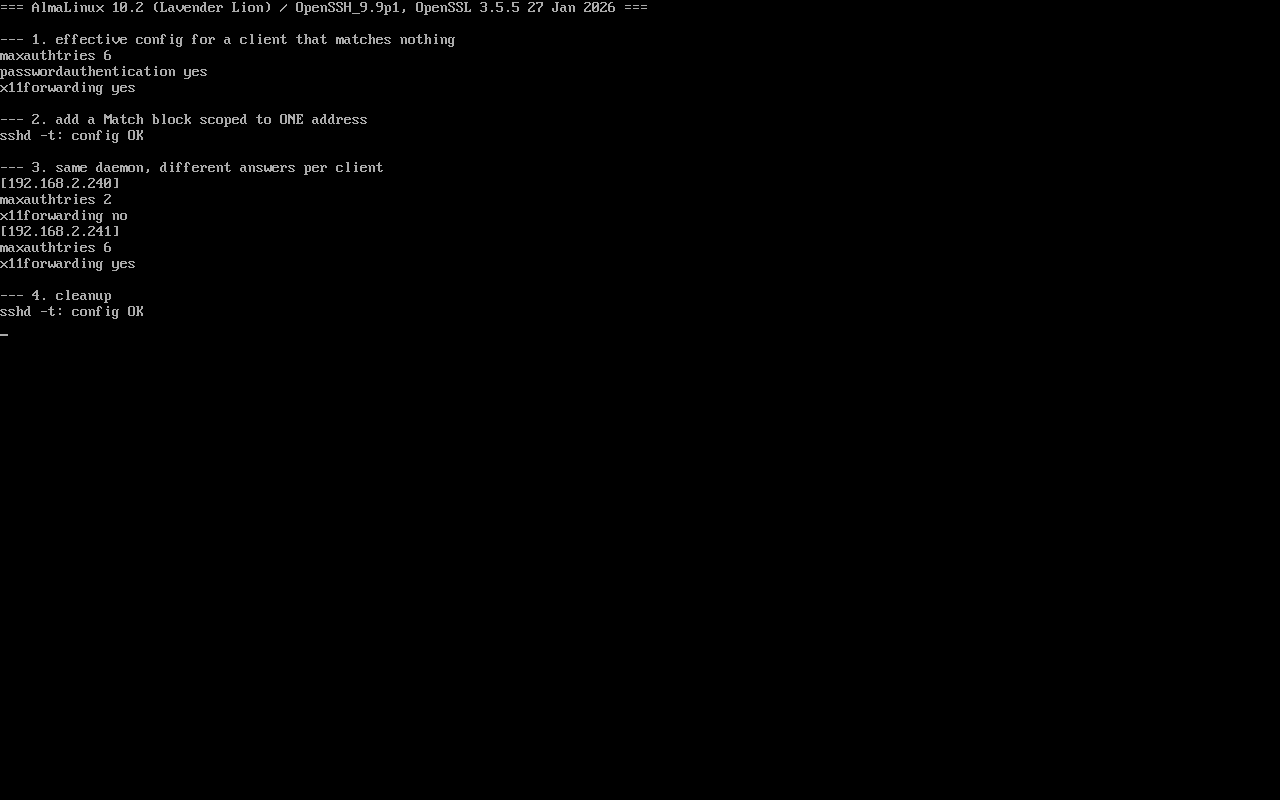
Method: read the global effective config, add a Match block scoped to a single source address, query two different sources with sshd -T -C, then clean up. Screenshot: public/evidence/sshd/alma-match.png.
The global view
Section titled “The global view”$ sshd -T -C user=labuser,host=localhost,addr=192.168.2.241 | grep -E '^(maxauthtries|x11forwarding|passwordauthentication)'maxauthtries 6passwordauthentication yesx11forwarding yessshd -T prints the parsed configuration rather than the file text, which makes it far more trustworthy than reading sshd_config by eye.
A block scoped to one client
Section titled “A block scoped to one client”Match Address 192.168.2.240 MaxAuthTries 2 X11Forwarding no$ sshd -t && echo "config OK"config OKsshd -t only checks syntax — it never tells you whether the Match applies. That separation is the whole point of the next step.
Same daemon, different answers
Section titled “Same daemon, different answers”$ sshd -T -C user=labuser,host=localhost,addr=192.168.2.240 | grep -E '^(maxauthtries|x11forwarding)'maxauthtries 2x11forwarding no
$ sshd -T -C user=labuser,host=localhost,addr=192.168.2.241 | grep -E '^(maxauthtries|x11forwarding)'maxauthtries 6x11forwarding yes-C means “pretend this connection comes from here”: user=, host=, addr=. It is the only direct way to verify Match behaviour; do this instead of trial-and-error logins.
Drop-in order and scope
Section titled “Drop-in order and scope”$ ls /etc/ssh/sshd_config.d/EL10’s sshd_config starts with Include /etc/ssh/sshd_config.d/*.conf, loaded in filename order. Two practical rules:
- Use numeric prefixes (
50-before99-); later files override earlier values; - Everything after a
Matchbelongs to that block — never put global directives after a Match in the same file, or they get absorbed.
Typical uses and limits
Section titled “Typical uses and limits”| Goal | Pattern | Caveat |
|---|---|---|
| Password auth only from the LAN | Match Address 192.168.2.0/24 + PasswordAuthentication yes | Disable it globally first |
| No root login from anywhere | Match Address 0.0.0.0/0 + PermitRootLogin no | Order-sensitive against global clauses |
| Restrict forwarding for one user | Match User deploy + AllowTcpForwarding no | A missing user fails silently |
Key limit: Match changes parameter values; it does not grant access and does not override other layers such as firewalld or PAM.
Common traps
Section titled “Common traps”- Editing a drop-in without reloading:
systemctl reload sshdis required;sshd -tonly validates; - Verifying Match with plain
sshd -T: it shows global values only; - Typos in conditions:
sshd -tcatches syntax, not a wrong subnet — compare with-C; - Global directives after Match: they silently become block-local, which looks like “some settings only work for some people”.
Practice: prove a Match actually applies
Section titled “Practice: prove a Match actually applies”sudo tee /etc/ssh/sshd_config.d/60-lab.conf >/dev/null <<'EOF'Match Address 192.168.2.0/24 MaxAuthTries 3EOFsudo sshd -tsudo sshd -T -C user=labuser,host=localhost,addr=192.168.2.10 | grep maxauthtriessudo sshd -T -C user=labuser,host=localhost,addr=10.0.0.10 | grep maxauthtriessudo rm /etc/ssh/sshd_config.d/60-lab.confChecks:
- The in-subnet address reports 3, the outside one keeps 6;
sshd -tis silent on success;- After removal both report 6 again;
- No reload was needed —
-Treads the config without touching live sessions.
常见问题
Can Match blocks nest?
No. A Match block runs until the end of the file or the next Match; there is no nesting.
Why does sshd -T not show my Match settings?
It prints the global context. Use sshd -T -C user=...,host=...,addr=... to evaluate a specific connection.
Reload or restart after editing?
Reload (systemctl reload sshd) applies the config without dropping established sessions; restart does drop them.
Next steps
Section titled “Next steps”- Source filtering: /en/firewalld-zone-priority/
- sudo delegation: /en/sudoers-basics/
- Source filtering with firewalld: /en/firewalld-zones/