
AlmaLinux 10: the shortest SELinux troubleshooting path
Test scope
Section titled “Test scope”In an AlmaLinux 10.2 VM (kernel 6.12.0-211.64.1.el10_2): getenforce, sestatus, setenforce, ls -Z, chcon, restorecon -Rv, ausearch -m avc, and what happens when semanage is missing. Log: plans/content-expansion/evidence/logs/alma-selinux-basics.log.
This image has no semanage (command not found) — a common cloud-image difference. The install command below is documentation (this VM has no internet, so it was not executed).
Check the state first
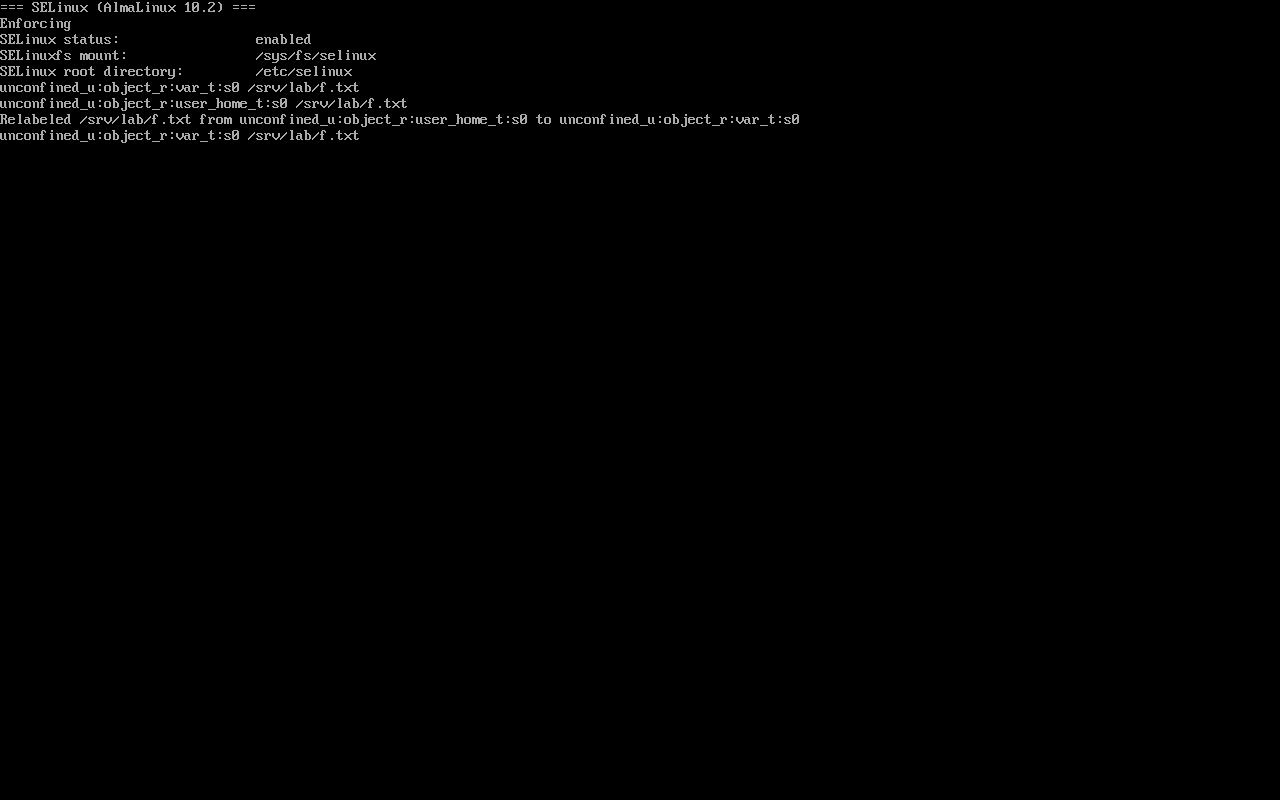
Section titled “Check the state first”getenforcesestatus | head -6EnforcingSELinuxfs mount: /sys/fs/selinuxSELinux root directory: /etc/selinuxLoaded policy name: targetedCurrent mode: enforcingMode from config file: enforcingCurrent mode is runtime, Mode from config file is what applies after reboot — a mismatch means setenforce was used.
Temporary switching
Section titled “Temporary switching”setenforce 0; getenforcesetenforce 1; getenforcePermissiveEnforcingsetenforce does not touch the config file, so a reboot returns to the configured mode; it also cannot select Disabled.
Labels: inspect before changing
Section titled “Labels: inspect before changing”mkdir -p /srv/lab && echo hi > /srv/lab/f.txtls -Z /srv/lab/f.txtchcon -t user_home_t /srv/lab/f.txtls -Z /srv/lab/f.txtrestorecon -Rv /srv/labls -Z /srv/lab/f.txtunconfined_u:object_r:var_t:s0 /srv/lab/f.txtunconfined_u:object_r:user_home_t:s0 /srv/lab/f.txtRelabeled /srv/lab/f.txt from unconfined_u:object_r:user_home_t:s0 to unconfined_u:object_r:var_t:s0unconfined_u:object_r:var_t:s0 /srv/lab/f.txtchcon is temporary: one restorecon brings back the policy default. Persistence requires the policy database (semanage).
When semanage is missing
Section titled “When semanage is missing”semanage fcontext -l-bash: semanage: command not foundsemanage lives in policycoreutils-python-utils. After installing:
sudo dnf install -y policycoreutils-python-utilssudo semanage fcontext -a -t httpd_sys_content_t "/srv/lab(/.*)?"sudo restorecon -Rv /srv/labIn offline or container environments where packages cannot be installed, fall back to chcon for a temporary check and accept that it is lost on reboot or restorecon.
Finding AVCs
Section titled “Finding AVCs”ausearch -m avc -ts recent<no matches>Denials include denied, scontext, tcontext and tclass; audit2why translates them into plain language.
Common traps
Section titled “Common traps”- chcon without semanage: lost after reboot or restorecon;
- Expecting setenforce 0 to persist: the config file wins on reboot;
- Assuming semanage exists: check
command -v semanagebefore planning around it.
Practice: verify labels without semanage
Section titled “Practice: verify labels without semanage”sudo mkdir -p /srv/lab && echo hi | sudo tee /srv/lab/f.txtls -Z /srv/lab/f.txtsudo chcon -t httpd_sys_content_t /srv/lab/f.txtls -Z /srv/lab/f.txtsudo restorecon -Rv /srv/labls -Z /srv/lab/f.txtcommand -v semanage || echo "install policycoreutils-python-utils"Checks:
- The initial type is
var_t - After chcon it becomes
httpd_sys_content_t - After restorecon it returns to
var_t - You know whether this image has semanage
常见问题
Why does the Alma cloud image lack semanage?
semanage ships in policycoreutils-python-utils, which minimal and cloud images may omit; install it with dnf, or use chcon when offline.
How do chcon and restorecon interact?
restorecon restores labels from the policy database (including semanage rules) and therefore overwrites chcon changes; persistent changes must go through semanage.
How do I confirm SELinux is actually denying?
Check /var/log/audit/audit.log or ausearch -m avc; permissive only logs, enforcing actually blocks.
Next steps
Section titled “Next steps”- Network triage: Five layers of network troubleshooting
- Firewall: firewalld rich rules
- Post-install checks: 7 checks after install