
AlmaLinux 10: LVM snapshots as an upgrade rollback point
Test scope
Section titled “Test scope”In an AlmaLinux 10.2 virtual machine (kernel 6.12.0-211.64.1.el10_2, LVM 2.03.36): created an LV, wrote a file, froze and snapshotted, read the snapshot read-only, deleted the file, merged back, remounted and verified. Log: plans/content-expansion/evidence/logs/alma-lvm-snapshot.log.
A snapshot is only a rollback point if it is consistent
Section titled “A snapshot is only a rollback point if it is consistent”Snapshot before an upgrade, roll back with lvconvert --merge if it fails — but the snapshot itself must be consistent. Snapshotting a mounted filesystem can capture journal state that has not reached disk, and rolling back to that state can leave the filesystem damaged.
So the order is: freeze → snapshot → unfreeze → upgrade.
Freeze and create
Section titled “Freeze and create”sudo fsfreeze -f /mnt/datasudo lvcreate -y -s -L 300M -n snap /dev/vglab/datasudo fsfreeze -u /mnt/data-L 300M is the COW space: the more the origin is written, the faster it is consumed, and a full COW invalidates the snapshot (Data% reaches 100 in lvs). Leave headroom for upgrade-time writes or avoid writes during the upgrade.
Read-only check of the snapshot
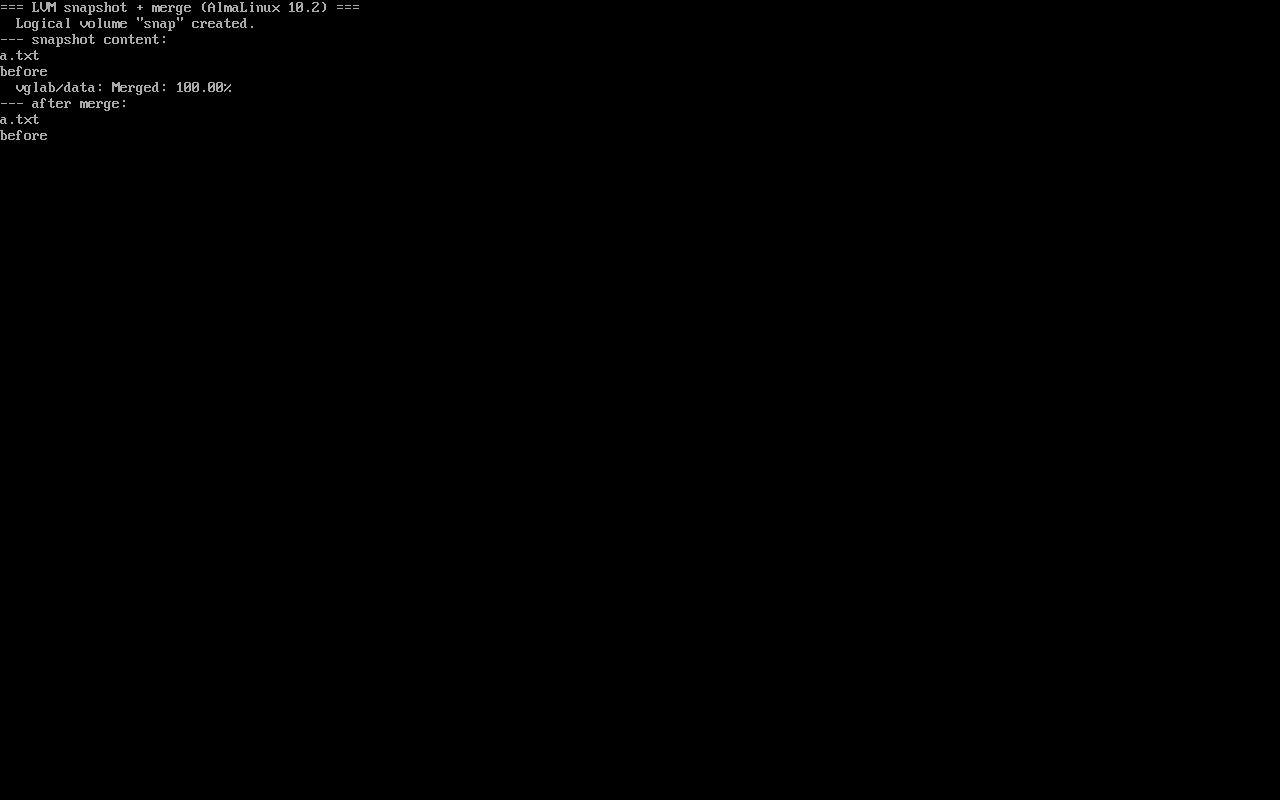
Section titled “Read-only check of the snapshot”sudo mount -o ro,nouuid /dev/vglab/snap /mnt/snapls /mnt/snapcat /mnt/snap/a.txta.txtbefore-snapshotnouuid avoids the duplicate-UUID conflict; ro guarantees nothing is written into the snapshot. Before upgrading, this step confirms the snapshot really holds the current state.
Rollback: merge alone is not enough to mount
Section titled “Rollback: merge alone is not enough to mount”sudo umount /mnt/datasudo lvconvert --merge /dev/vglab/snapsudo lvchange -an vglab/datasudo lvchange -ay vglab/dataMerging of volume vglab/snap started.vglab/data: Merged: 100.00%Measured: with only lvchange -ay, mount returned already mounted or mount point busy; a full -an then -ay cycle was required. That step separates “merge finished” from “volume mountable”.
Verify after rollback
Section titled “Verify after rollback”sudo mount /dev/vglab/data /mnt/datals /mnt/datacat /mnt/data/a.txtls /mnt/data/b.txta.txtbefore-snapshotls: cannot access '/mnt/data/b.txt': No such file or directoryWrites after the snapshot (b.txt) are gone and the snapshotted file (a.txt) is back. Seeing this result is the verification; a merge percentage is not.
The upgrade playbook
Section titled “The upgrade playbook”- Unmount workloads or stop writes (freeze the database or stop it);
fsfreeze -f→lvcreate -s→fsfreeze -u;mount -o ro,nouuidto confirm the snapshot content;- Run the upgrade (
dnf upgrade); - On failure:
umount→lvconvert --merge→lvchange -an/-ay→ mount and verify; - On success:
lvremovethe snapshot to release COW space.
Playable end-to-end sequence
Section titled “Playable end-to-end sequence”The recording below plays the whole loop in order — build the volume, freeze, snapshot, change data, read the snapshot, merge, reactivate, verify (the .cast is 885 bytes and never autoplays):
文字版(命令与输出) / Text transcript
# 1. build a loop-backed LV for the labtruncate -s 1G /var/tmp/cast.imgpvcreate -y "$L"; vgcreate vglab "$L"; lvcreate -y -L 800M -n data vglabmkfs.xfs -q /dev/vglab/data; mount /dev/vglab/data /mnt/dataecho before > /mnt/data/a.txt
# 2. freeze, snapshot, unfreezefsfreeze -f /mnt/datalvcreate -y -s -L 200M -n snap /dev/vglab/datafsfreeze -u /mnt/dataLV   LSize   Attrdata 800.00m owi-aos---snap 200.00m swi-a-s---
# 3. change the origin, then read the snapshotecho after > /mnt/data/b.txt; rm -f /mnt/data/a.txtmount -o ro,nouuid /dev/vglab/snap /mnt/snapcat /mnt/snap/a.txt      # before
# 4. merge back and reactivatelvconvert --merge /dev/vglab/snapvglab/data: Merged: 100.00%lvchange -an vglab/data; lvchange -ay vglab/data
# 5. verify the rollbackcat /mnt/data/a.txt # beforeCommon traps
Section titled “Common traps”- Too little COW space: upgrade writes fill 300M and the snapshot becomes invalid;
- Forgetting fsfreeze: a rolled-back filesystem may be inconsistent;
- Mounting right after merge: EBUSY; use
-anthen-ay; - Leaving snapshots behind: they consume space and slow origin writes.
Practice: simulate a failed upgrade and roll back
Section titled “Practice: simulate a failed upgrade and roll back”sudo dnf install -y lvm2 xfsprogstruncate -s 2G /var/tmp/snap.imgL=$(sudo losetup -f --show /var/tmp/snap.img)sudo pvcreate -y "$L" && sudo vgcreate vglab "$L"sudo lvcreate -y -L 1G -n data vglab && sudo mkfs.xfs -q /dev/vglab/datasudo mkdir -p /mnt/data /mnt/snap && sudo mount /dev/vglab/data /mnt/dataecho good | sudo tee /mnt/data/app.conf >/dev/null && syncsudo fsfreeze -f /mnt/data && sudo lvcreate -y -s -L 300M -n snap /dev/vglab/data && sudo fsfreeze -u /mnt/dataecho broken | sudo tee /mnt/data/app.conf >/dev/null # simulate a bad upgrade writesudo umount /mnt/data && sudo lvconvert --merge /dev/vglab/snapsudo lvchange -an vglab/data && sudo lvchange -ay vglab/datasudo mount /dev/vglab/data /mnt/data && cat /mnt/data/app.confChecks:
- The snapshot’s
Data%inlvsis small (COW headroom exists) - After rollback
app.confreadsgood mount -o ro,nouuidshowsgoodinside the snapshot- After cleanup
vgsno longer lists vglab
常见问题
How much snapshot space is enough?
At least the writes expected during the upgrade. Once COW is full the snapshot is invalid and rollback is impossible; a conservative start is 20–30% of the origin used space.
Why deactivate and reactivate after merge?
In testing the device was not fully ready right after merge and mount returned EBUSY; a full deactivate/reactivate recreates the mapping and mounting then works.
Can a snapshot serve as a backup?
No. It lives on the same storage as the origin and is lost with the disk; it is only a short-term rollback point before changes.
Next steps
Section titled “Next steps”- Growing storage: LVM growth
- XFS repair: XFS repair
- Upgrade policy: Reboot policy